

Wacom Bamboo Pen + Touch Graphics Tablet
Last updated on 3 October 2021
This post may contain affiliate links. If you make a purchase with one of these links, I recieve a small commission at no additional cost to you. Read the full Affiliate Policy.

Wacom Bamboo Pen + Touch Graphics Tablet
A long title for a graphic design pad. But the Wacom Bamboo Pen + Touch Graphics Tablet has been a really fun addition to my creating tool kit.
The Wacom Bamboo Pen + Touch Graphics Tablet is a tablet, just under A4 size, it’s not a tablet in the sense it has a screen or can show images on it. It’s a graphics tablet, that allows you to connect it to your computer and use it as a giant mouse pad, in a sense, or use the pen that comes with it to write on it, and watch as it comes up on your screen. You know how when you were little (or maybe just yesterday…?) you would draw pictures on Paint, and use the mouse to pick up the paint colours and spread them over the blank page? That’s basically what this is. But it’s awesome because it’s like you’re drawing on a real piece of paper, and you don’t have to struggle with the mouse and being bumped etc.
When you first connect it to your computer, you install it and tell it whether you are right or left-handed. There are buttons on the side of it, which you can programme to be whatever you’d like. So, for example, the large bottom button is my click, while the smaller one above it is the right click etc. It also comes with a pen, which has two buttons on it, near the tip, which can also be programmed to whatever you’d like. The little knobbly thing on the top is an eraser! So while you’re working and you make a mistake, just flip over the pen and use it as a real eraser. Amazing!


Graphic artists use tablets like this one for their artwork, and while I’m definitely not a graphics artist, I’m hoping to use it for a bit of design and also doodling over blog photos! Exciting times ahead, my friends!
Here’s what I mean. I was doodling on the pictures for the A Beautiful Mess Photo Idea Book post a few days ago (side note: I use Photoshop Elements), and then trying out my handwriting skills on the boat picture I took last year:
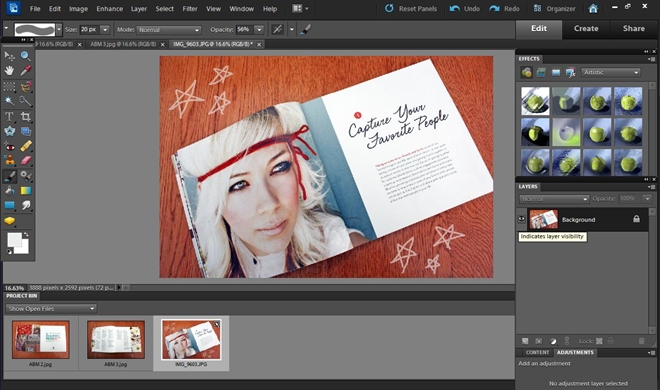
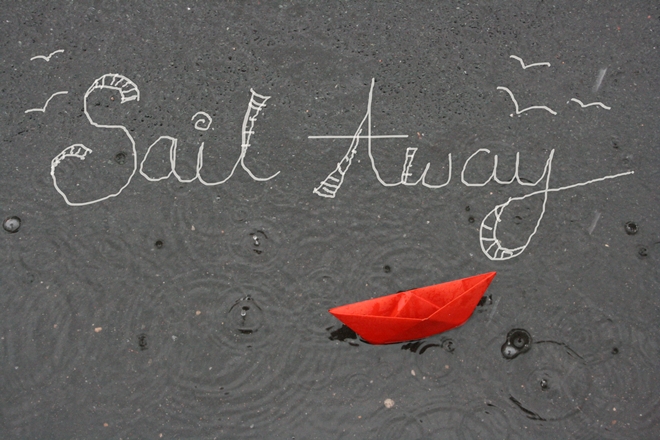
So while it doesn’t look awesome at the moment, hopefully, I’ll get better! I’m really looking forward to playing around with it!
Disclaimer: This review was not asked for, nor was it influenced in any way. These are just my own opinions about an exciting product.

Anjali Kay
Anjali Kay is an Aotearoa New Zealand-based blogger and book lover sharing travel inspiration, bookish posts, the occasional creative project, and a lot of practical blogging tips here at This Splendid Shambles. Based in Auckland, she's been writing book reviews and travel posts, sharing creative projects and blogging tips since she started her first blog in 2009. When she's not working on her own blog, Anjali also offers blog coaching and support for bloggers who want real guidance from someone who's actually done the work, and is a few chapters ahead of them.


Having fun? Check out these posts!

How to Make a Giant Pompom – DIY

LOUDER…
