

How to Get Traffic from Pinterest to your Blog
Last updated on 18 February 2024
This post may contain affiliate links. If you make a purchase with one of these links, I recieve a small commission at no additional cost to you. Read the full Affiliate Policy.

You’ve probably heard that Pinterest is one of the best ways to get traffic to your blog or website, right? Right. And people talk about it a lot (especially me!) for a reason. If you’re patient and you persevere, Pinterest can be an amazing source of traffic.
There are a few ways to ensure that you’re making the most of Pinterest, and getting that traffic to your blog. Here’s a quick rundown of some of them, before we dive into the best way to get traffic from Pinterest to your blog.
How to actually get traffic from Pinterest to your blog
- Have a business account
- Optimise your Pinterest Profile
- Create Pinterest-Friendly Images/Pins
- Use Idea Pins
- Pin Consistently
- BONUS!
- And the best way to get traffic to your blog with Pinterest is …
Business Account
If you haven’t changed your Pinterest account to a Business Account, then I highly recommend it. Even if you don’t think of your blog as a business. With a Business Account (which is free to change to!), you’ll have much more control over what sorts of things you can do and see in your Pinterest account.
One of the biggest pluses to changing over from a personal account is that you’ll be able to see in-depth analytics for your Pins, so you can really hone in on what types of Pins are performing the best bringing in that traffic to your blog. You’re also able to link up your website and things such as your Instagram.
Optimise your Pinterest Profile
Profiles can be one of the most underutilised spots on the internet, no matter what platform you’re on. When it comes to Pinterest, it’s a great opportunity to really optimise and utilise your profile. Use clear descriptions of what your blog is about, and make sure you link to it. Make sure you say who you are, what you do, who you help/inspire/educate etc, and what people can expect from your Pinterest account.

Create Pinterest-Friendly Images
By now hopefully, you’ll know that Pinterest loves portrait images, not landscape ones. Make sure that when you’re creating your Pins, they’re eye-catching, they’re easy to read, they’re actually relevant to the link they’re going to, and you use clear formatting when you’re making them.
I make all my Pins on Canva and make use of templates so the creation of the Pins is quick and easy.
Use Idea Pins
Idea Pins can be carousels or videos or a combination of static and video slides. They are brilliant for showcasing bigger ideas or lists of things, and you can now add links to Idea Pin, giving them an even better potential for driving traffic to your blog with Pinterest.
Pin Consistently
Just like blogging consistently is important, Pinning regularly to your boards keeps your content visible and engages your audience. And it shows Pinterest that you’re actually paying attention to what’s going to, you’re updating your content, you’re providing people with lots of juicy things to check out on your blog.
Bonus: Promote your Pins
If you’ve got the funds, occasionally promoting a Pin can be really helpful. Play around with how much money you spend, what kind of Pin you promote and the visuals and captions of the Pin to see what works best for you and your account. Not every account is going to thrive with promoted Pins but it’s something to think about if you’re serious about getting traffic from Pinterest to your blog.

The best way to get traffic from Pinterest to your blog
Keywords. Hands down.
When I started actually taking my Pinterest account seriously and not just Pinning whatever the heck I wanted, and I started thinking about the words I was using, why I was using them … I saw a huge increase in both engagement on Pinterest, and traffic back to my blog.
What are keywords for Pinterest?
Keywords on Pinterest act the same way as keywords anywhere do: they’re words that users are putting into the search engine (for Pinterest is a search engine) in order to find what they’re looking for. Just like you would on Google.
Why are they important?
When you go to Pinterest, what’s the first thing you do? Start a search, probably, right? Right. So people are using words and phrases every day to discover things on Pinterest, which means in order for them to find our content on XYZ, we need to make sure we’re using the same words they’re using. Otherwise, they’ll go to Sally’s blog.
Where do you use keywords on Pinterest?
Everywhere! Mostly. Basically wherever you can use keywords that people are using to find content … use them. Here are the main spots you should be thinking about your keywords:
- Pin Title: After the visual aspect of your Pin, the title is going to be the first thing that people really pay attention to. Your keywords for that Pin need to be in the title in an engaging way that excites people about it or is informative.
- Pin Description: In your Pin description, you’ll want to describe what the link is, using multiple keywords in your paragraph. You get 500 characters for a Pin description, so use them well!
- ALT text: Each Pin you can add ALT text to. You’re describing what the Pin looks like both for visually impaired people but also for search engines and if for some reason the image doesn’t load. Use your keywords in your ALT text.
- On the image: Did you know that Pinterest ‘reads’ the image you upload? Yup! This means as well as using the keywords for that Pin ON that Pin, we need to choose fonts that aren’t too crazy and that are easy for Pinterest users and Pinterest itself to read.
- Board Titles: When you’re creating a board, think about the keywords for that overall board. What is it about? Use those keywords in your Board titles
- Board descriptions: And in your board descriptions! Like an actual Pin, you can descriptions to your Boards, too, which means there’s a great opportunity to add those keywords (broader keywords that encapsulate the entire board) in that description. This will mean that Pinterest knows what your Board is about and can send people your way when they’re looking for things that your Board holds.
- In your profile: Your profile on Pinterest is much like your profile on social media sites: you want to showcase who you are and what you do (especially if you’re a business or a service provider!), and use keywords in your bio. For example, I’m a blog coach and a blogger, so I’m going to be thinking about what keywords I can use in my bio that help people and Pinterest know what I’m about.
How do you know what keywords to use on Pinterest?
By checking out The Pinterest Keyword Vault. This is hands-down one of my favourite tools for Pinterest and I cannot rave about it enough.
The Pinterest Keyword Vault is a collection of thousands of keywords covering hundreds of niches, specifically designed for Pinterest. Broken up into different categories and niches, the vault is super easy to use, is updated regularly, and you can even request that particular keywords be added!
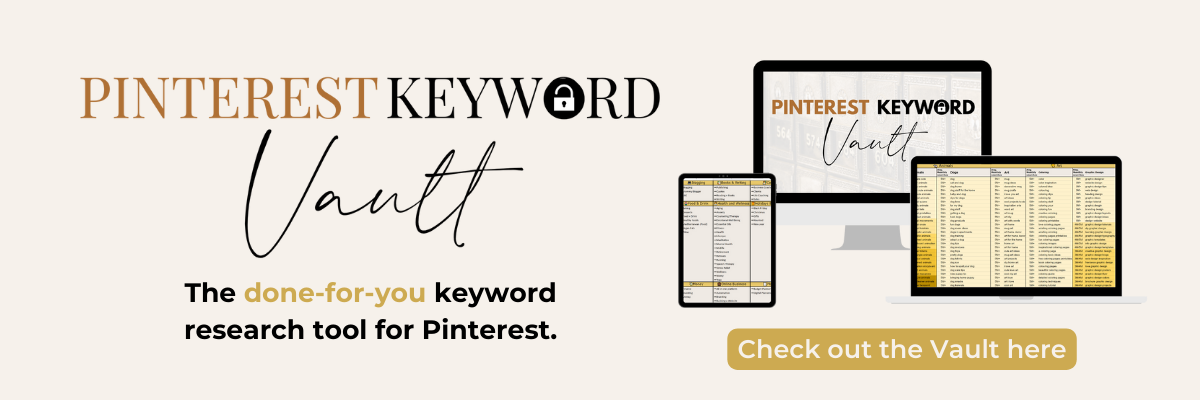
If you know you’re meant to be using keywords (and hopefully you do by now!), and you know where to put them, but you just don’t know which words you should be using … the Vault takes out all the questioning for you and does the hard work. All you have to do is find your niche, decide which keywords you’re going to be using, and start using them!
- Imagine if you finally actually knew what keywords to use so that you started to get traffic from Pinterest to your blog.
- Imagine if you had a copy-and-paste way to edit, update and upload all your Pins and board without spending a ton of time on them.
- Imagine if you could create Pins that bring in traffic without having to stress away your life and spend ages of time on Pinterest when you could be doing other things.
I reckon I save about 5 hours a month using this Vault. I usually do a big creating session at the beginning of the month, and now I only spend a few hours designing every month, I grab all the keywords from the Vault, use my templates on Canva and I’m done and dusted. Then I schedule them all using Tailwind and sit back and watch the traffic come in over the next months and years.
It has been a lifesaver and I have seen more traffic to my blog than ever before.
At the end of the day …
By now hopefully, you’re off running to make sure your Pinterest account is up to scratch and your Pins and Profile are optimised to make the most out of this visual search engine.
I do want to point out that it takes time. Something you Pin today might not see traffic for another 3 months (or longer!). But you’ll never see that traffic at ALL if you don’t start putting in the work now. Hopefully, these tips and tricks on how to get traffic from Pinterest are helpful and you’re well on your way!
Okay so I wanna know! Do you use Pinterest to get traffic to your website? Will you now?

Anjali Kay
Anjali Kay is an Aotearoa New Zealand-based blogger and book lover sharing travel inspiration, bookish posts, the occasional creative project, and a lot of practical blogging tips here at This Splendid Shambles. Based in Auckland, she's been writing book reviews and travel posts, sharing creative projects and blogging tips since she started her first blog in 2009. When she's not working on her own blog, Anjali also offers blog coaching and support for bloggers who want real guidance from someone who's actually done the work, and is a few chapters ahead of them.


Having fun? Check out these posts!

Coming up with Blog Post Ideas while Offline

What to do When a Blog Post Flops (coz it happens!)
