

What is Benable and Why is Everyone Suddenly Talking About it?
Last updated on 31 March 2026
This post may contain affiliate links. If you make a purchase with one of these links, I recieve a small commission at no additional cost to you. Read the full Affiliate Policy.

Honestly, that was my first question: What is Benable and why is everyone talking about it? So I did what any of us would do, and I did a quick Google search and discovered that it’s an app/website where you can create lists and share links to your fave things, and earn a commission if anyone buys from your links.
Essentially, it’s like Pinterest and affiliate marketing merged together. You get the Board feel of Pinterest, sharing your recommendations and your favourite things, with the benefit of getting paid via affiliation if anyone makes a purchase using your link/by checking out the item you recommended.
So naturally, this intrigued me, and I signed up in mid-February 2026. I’m sharing that month with you because I want to come back and update this blog post when I’ve been on the platform a month, 3 months, and 6 months. Those updates will be at the bottom of this blog post. Jump there now.
But at the start of this blog post, I’m going to run through what Beneable is, how to set up your Beneable account, and some things to think about when you’re adding items to lists (this might change over time, but I’m going to give you my initial thoughts).
Feb 2026: It’s currently an Invite-Only app so if you’d like to sign up, use my Invite Link here. You’ll also get a 10% bonus if you sign up with my link.
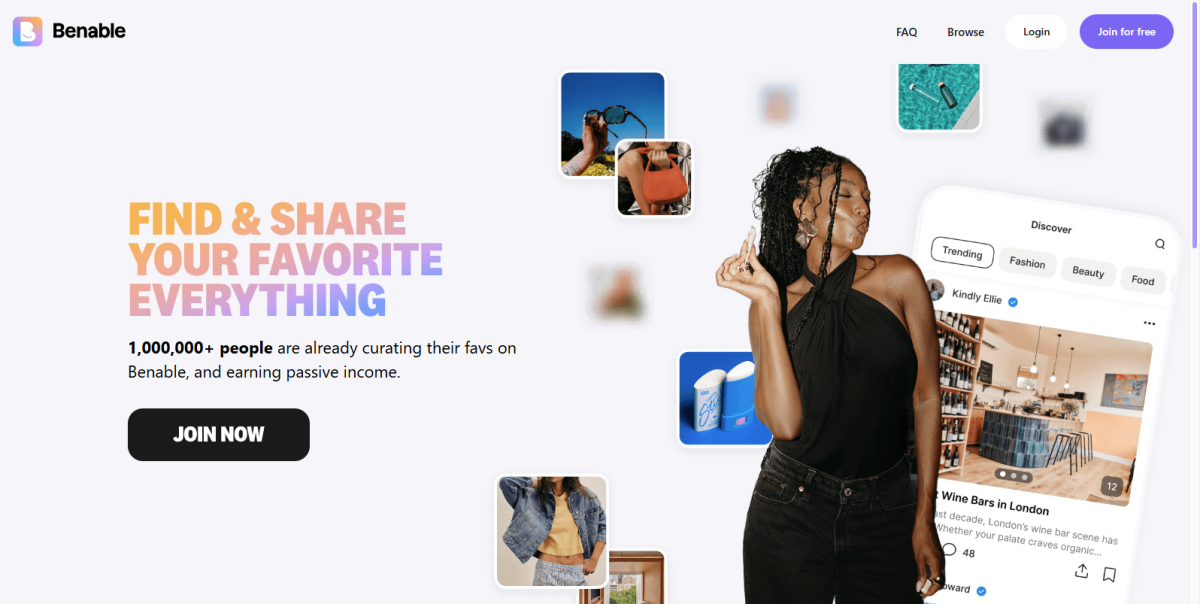
What is Benable?
Benable is an app that enables you to create and share lists of things that you recommend. This could be books or beauty items, perhaps it’s local cafes or activities in your area, perhaps it’s digital tools or tech … whatever it is, you can create a List on Benable and add your recommendations to that list.
If someone is looking at your list, and decides to click through to the thing that you’ve recommended, and they end up buying said thing, you get a commission. Benable has partnered with thousands of businesses around the world, but even if you want to add something that is from a place that they haven’t partnered with (your local cafe for example), you can still add that recommendation to your list.
How does Benable work?
Benable is super simple at the heart of it:
- Create your account
- Update your profile
- Create your Lists and add your recommendations
- Benable will scour the web and find that item on a site they’ve partnered with and pull through any images
- It will also create an affiliate link for you
- You can tweak the entry and upload your own comments/notes and images if you’d like
- When you’ve published it, Benable will show your list to people interested, and on Google
- If someone buys something through your list, you get 100% of that commission
- Benable will pay you via your chosen platform eg Paypal
Let’s create your Benable account
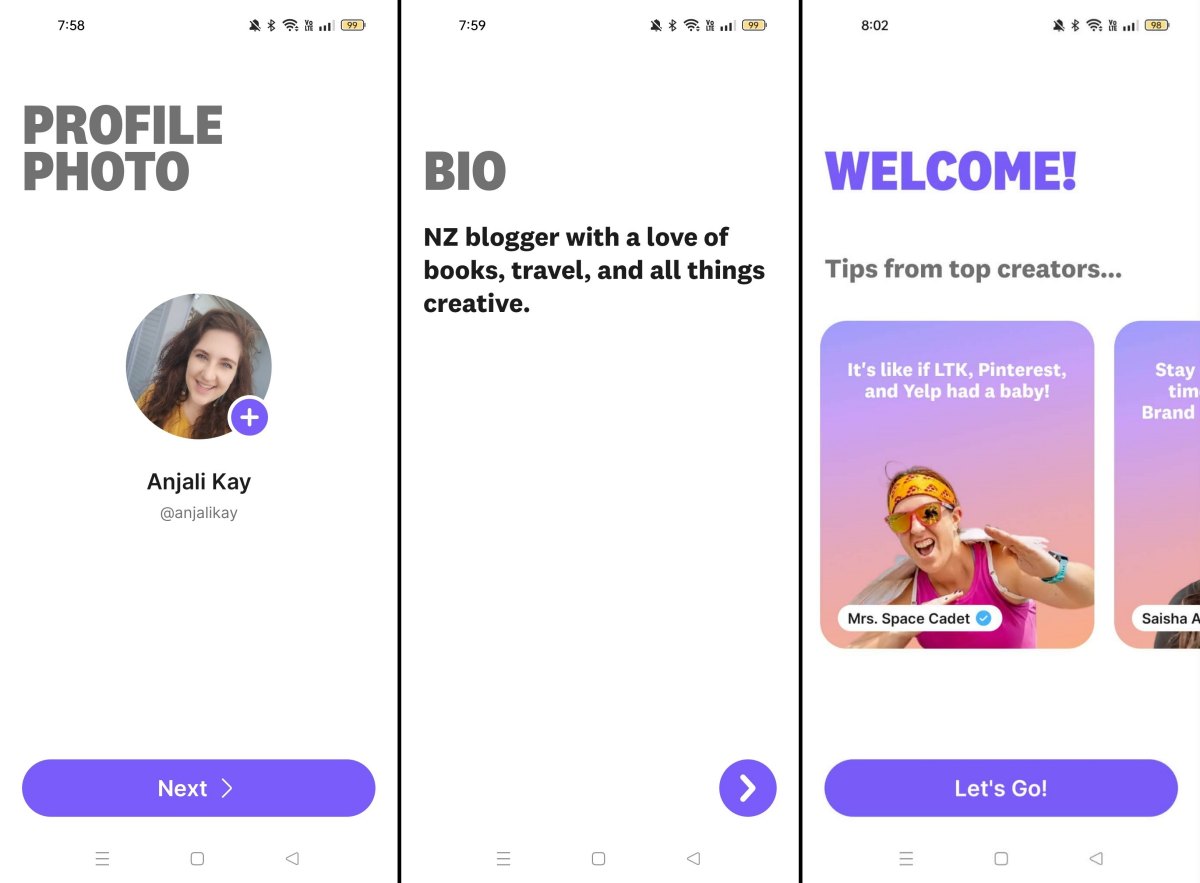
You’ll see that I actually created my account on my phone, but then went ahead and updated my details and really explored the platform on my laptop/desktop view. You’ll see things like my profile image and bio change slightly over the course of these screenshots.
Create an account
Head to Benable.com – Remember, you’ll need to use my invite link at the moment (early 2026) to get started. If you do, you’ll get a 10% bonus on your commission for a set period (I believe it’s 2months). More on that later.
Create your account by following the steps. If you do this on your mobile (how I did it first), you’ll be prompted through some usual set-up things like email, phone number, username, user image if you’d like one etc. But then you’ll also be prompted to add your first item on a list, just so you can get a feel for how it works.
Edit your profile
Once you have your account all set up, you can update your details. I’m going to walk you through some of the desktop view items, but it will be similar on your mobile, too.
Up in the top right (desktop), you’ll have your profile image (or a blank circle if you haven’t added a photo yet), where you’ll get this drop-down of options. Select Settings.
Here you’ll be able to edit the following via the left-hand-side menu:
- Edit Profile
- Advanced Settings
- Cashback Settings
- Account Settings
- Notification Settings
Edit Profile
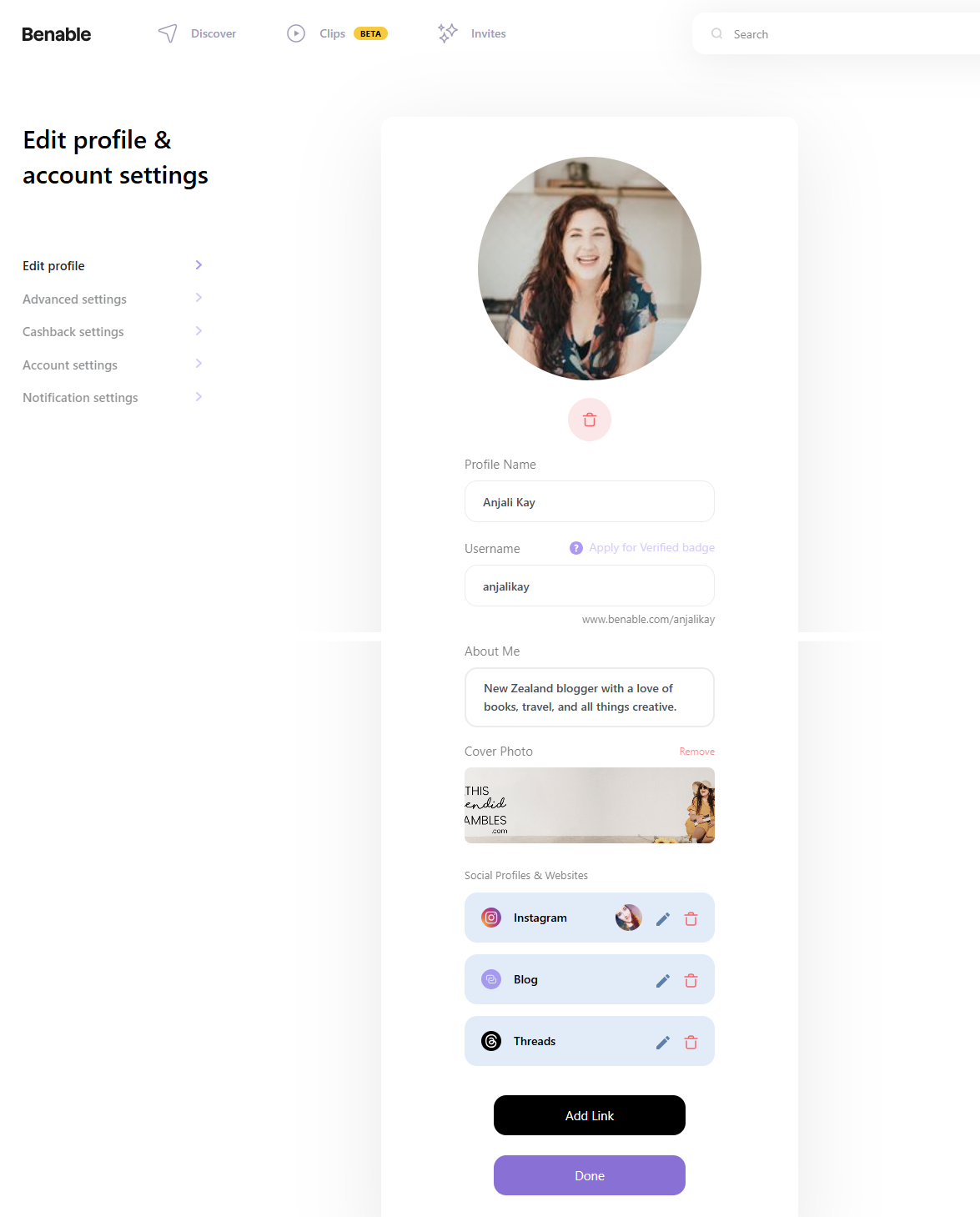
This is the main thing you might want to update as soon as you create your Benable account. You would have done some of these things in the setup when you initially signed up, but if you’re like me and just put in placeholder things, then this is where you can update it to what you actually want.
The things you can tweak here are:
- Profile image: Pick something that clearly shows your face, if you want to be known. Or you can choose to remain anonymous or choose your branding if you’ve got to. As you can see, I changed my profile photo so it matches some of my other social media accounts.
- Username: Again, if you want to be recognisable or found, keep it the same as your other accounts. I went with anjalikay as that’s what my blog socials are. I use thissplendidshambles more for my blog coaching these days.
- About Me: Update your bio! I think I’m going to redo mine again, but this is just who I am, what I do. If you don’t have a blog, as I do, then you could add in your hobbies or what you love to do.
- Cover Photo: I’ve noticed thus far (about a week after joining) that not many people have Cover Pages, but I decided to add one in to see a) what it looks like and b) if it helps with profile awareness. I’ll let you know what I think.
- Social Profiles and Websites: This is a brilliant way to link up your other social media platforms, and your blog or website if you have one.
💻 Are you on Benable? Follow along! Or sign up here with my Invite link.
Apply for a Verified Badge on Benable
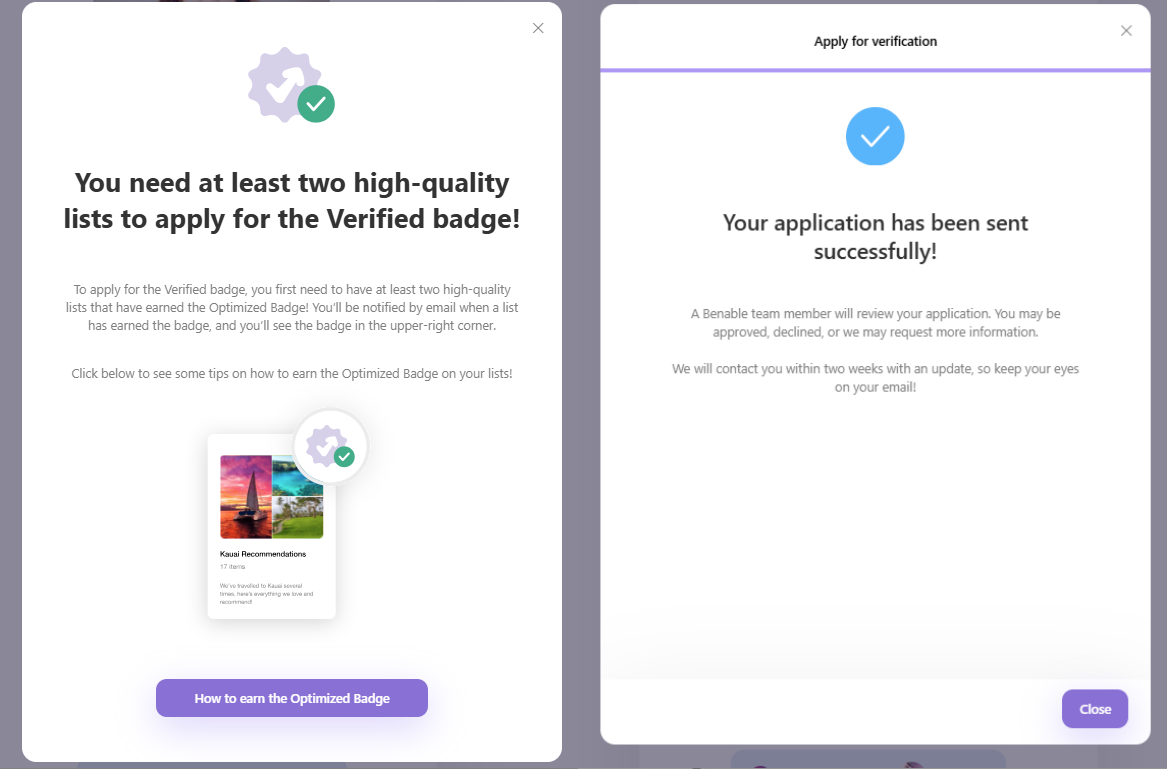
You’ll also notice a little piece of text that says Apply For A Verified Badge. This can be acquired by sharing at least two high-quality lists, and then you can apply for this badge.
After creating my first two Lists – My Favourite Books and My Favourite Blogging Tools – I was able to apply be verified. You need to have those two optimised lists, and a few social lists linked up, as well as your bio filled out.
One Month Later Update: It was pretty quick in verifying me, actually! And now I have a little blue tick by my account.
 Advanced Settings
 Advanced Settings
Under Advanced Settings, you’re able to toggle on/off New Lists Are Hidden By Default, and as of Feb 2026, that’s the only advanced setting. I’ve toggled mine to On, so that whenever I make a new list, it’s remaining hidden, or private, until I’ve added a good lot of items to it, and then I’ll make it public.
Cashback Settings
Make sure that you’ve headed in here and toggled on Enable cashback if you want Benable to turn as many of your recommendations into affiliate links as they can. Remember, not everything you add is going to have an available affiliate link – like your fave local coffee shop – but where possible, Benable will grab your item/service/thing from one of their partners and create an affiliate link for you.
This has to be turned on for that to happen. Mine was turned on automatically, so just double-check that yours is too.
If you’re an Amazon Affiliate, you can also toggle on Amazon auto-affiliate links, which will make any Amazon links that you add automatically be the right link for you.
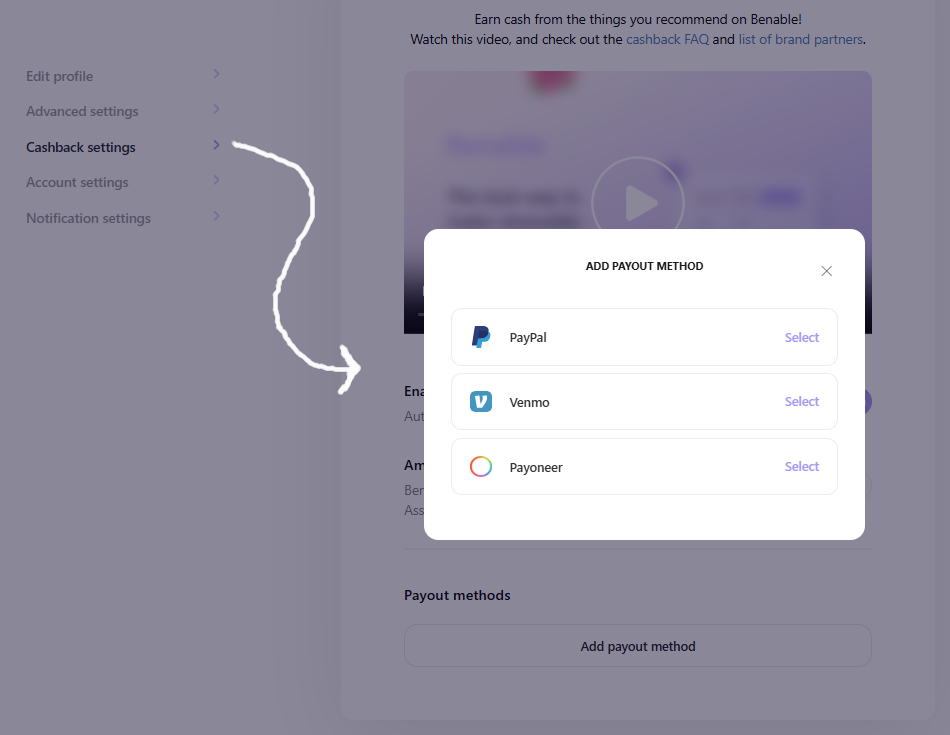
And then you’ll want to choose a Payment method. There are currently three options: PayPal, Venmo, and Payoneer. When you choose which one you’d like to use, you’ll be prompted further to make sure that it’s connected and you can get paid.
Account Settings
Here is where you’ll change your Account Settings, like username, password, email, and also where you can Delete Your Account.
Notification Settings
And the final menu item on this left-hand menu on your Benable profile is the Notification Settings. Here you’ll be able to choose which notifications you would like to get from the app, and how often.
Now your profile is all set up! Wonderful! 🥳🥳🥳
A Walkthrough of Benable
When you first arrive on the Benable website and you’ve logged in, you’ll be on the Discover page, and there will be a top menu, too. So let’s make it easy for ourselves and walk through that menu, remembering that I’m on the desktop version for these screenshots, but the Mobile version will be very similar.
Discover
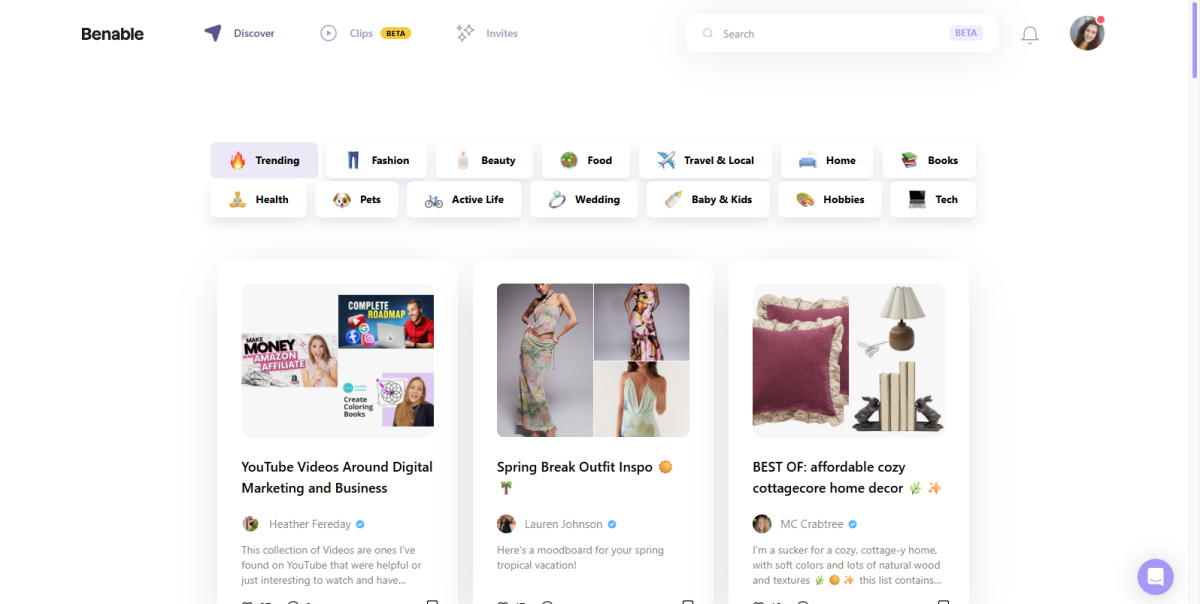
Whenever you’re on Benable, you can click either the Benable logo on the far left of the top menu, or the word Discover, and it will take you to this page.
Think of this page like the For You page on TikTok, the Search page on Instagram, your main feed on Pinterest. It’s where you can check out what other creators have shared.
You’ll see that there are some boxes at the top of this page with a bunch of different topics, starting with Trending. This Trending toggle will show you what is getting lots of views at the moment. I noticed that after I had clicked into someone’s List and then went back to this Trending section, it had updated, and it was showing me more trending Lists in the same topic as I had clicked.
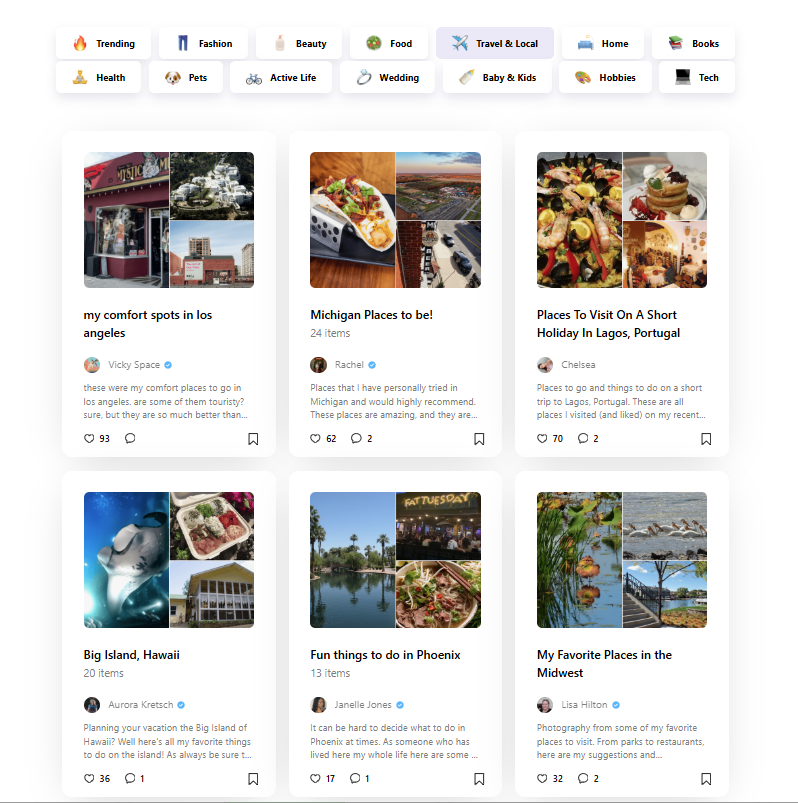
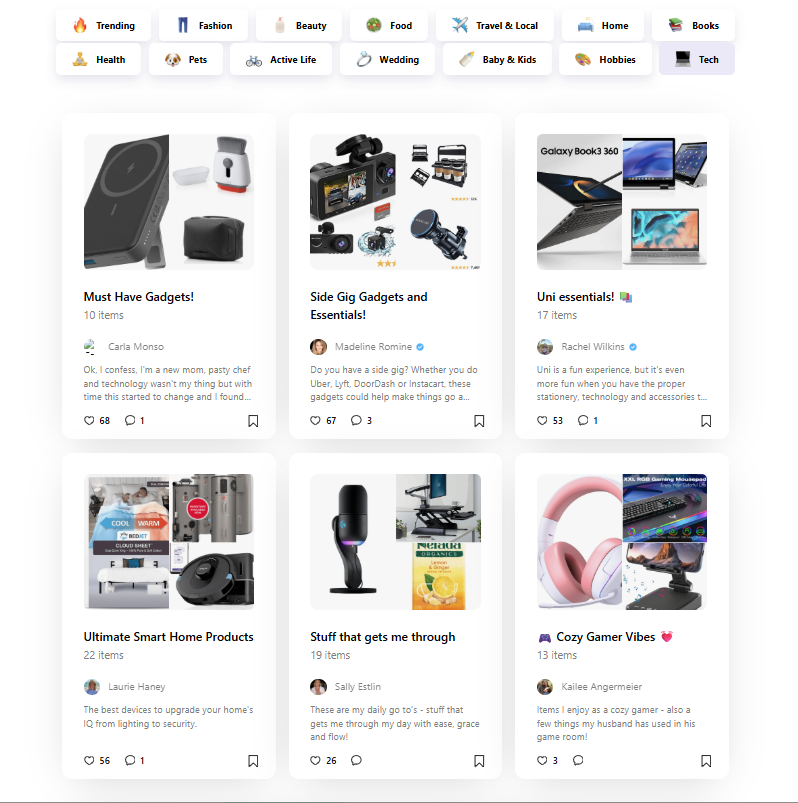
When you select any of the other topics, you’ll be shown Lists that people have created in that topic. Now, in my early days here, I’m unsure how these are displayed to me. Are they new lists? Or are they ones that have been reconely interacted with? Perhaps they’re also trending but within that topic? If I figure it out, I’ll let you know (or if you have any insights, feel free to drop a comment!).
But as you can initially see, there are lots of topics already, and lots of people are using them to share their favourite things within those topics.
Clips
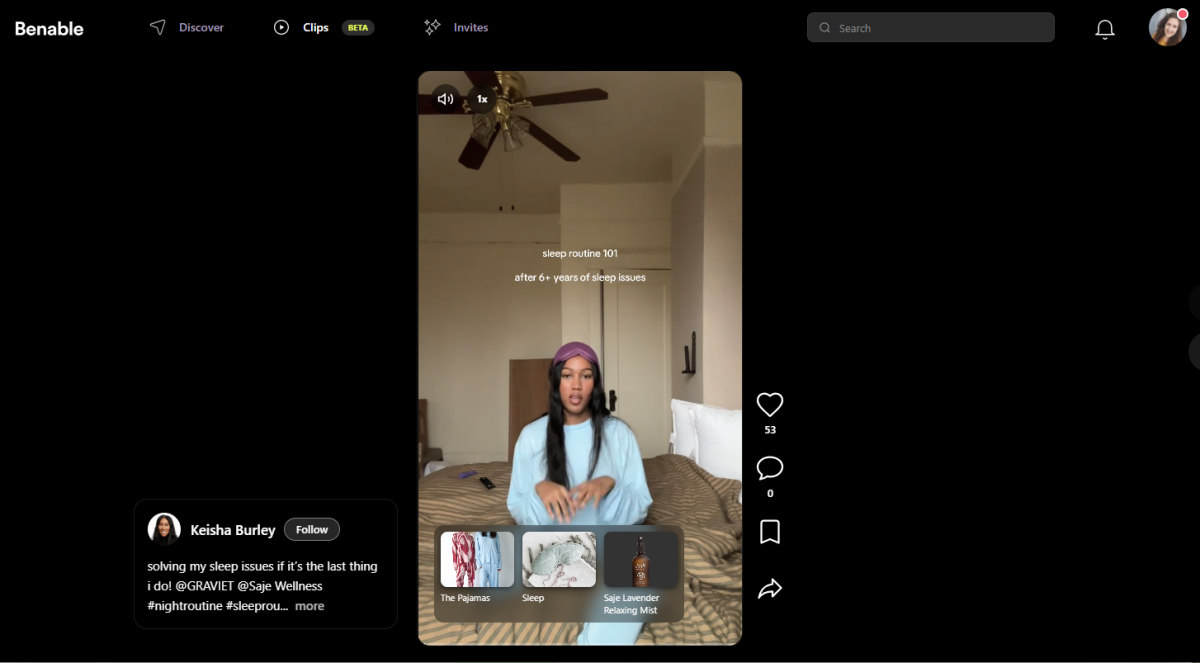
Currently (Feb 2026) still under Beta, Clips on Benable is sort of like your Instagram Reel or your TikTok. They’re short clips of people sharing about the items, services, and things that they love. On the desktop, you can scroll through them on the desktop version and in the app.
You can also Like, Comment, Bookmark and Share these, as you would other short-form videos online. You can see in this example below that she’s also linked up the items she’s talking about in her Clip.
I haven’t had a play with Clips yet, and I don’t know that I will, but never say never!
Invites
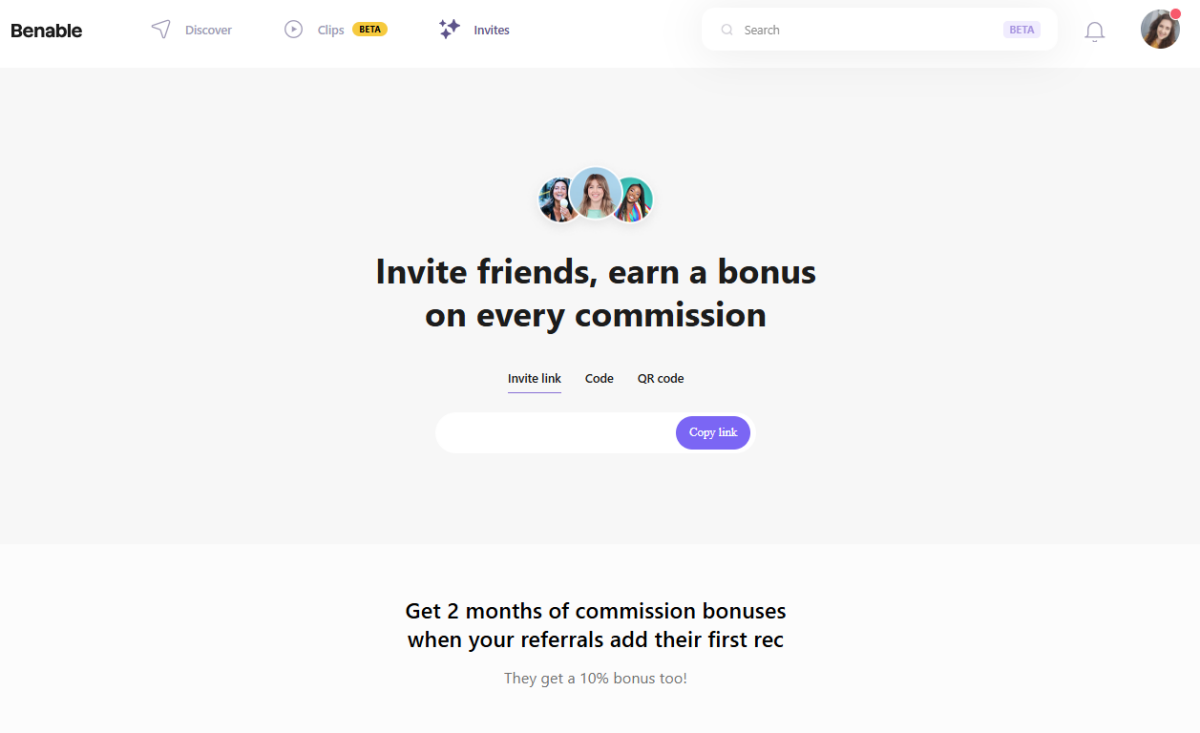
Then you’ve got the Invites page and this is where you’ll see your own Invite link so you can invite people to join Benable. You’ll see your Invite Link, Code or QR Code so you can choose how you share that.
You’ll also be able to see who used your code to join Benable, as well as where you’re up to in your Referral Tracking. The more people you invite, the more % bonuses you’ll receive.
Search Bar
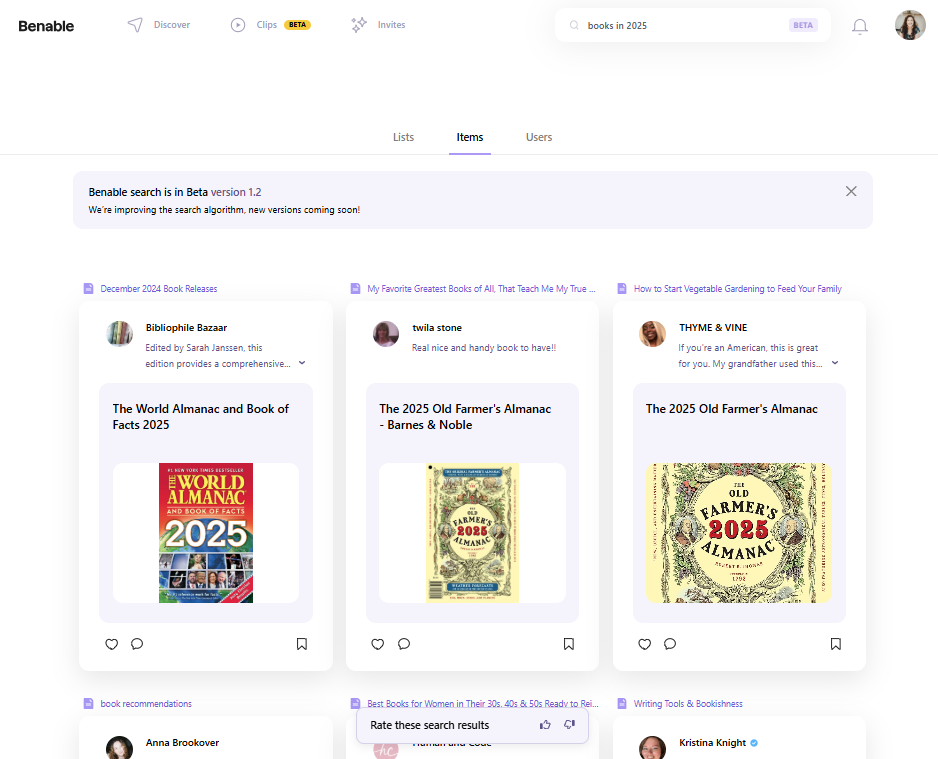
Pretty straightforward here, you can search for users and also lists. I did an example search for ‘books in 2025’ and it gave me these results. I can then change to search for Lists, Items, or Users.
It’s still in Beta mode (Feb 2026), but it seems to be working okay. It gives you a little pop-up at the bottom, which you can see above, that prompts you to Rate these search results. So they’re working on improving the algorithm and what comes up when you search.
Notification bell
If you click the little bell, you’ll find your Notifications. It’s broken up into Followers, Comments, and Likes. You’ll also get notifications if there are announcements, updates to the app/website and more. You can change how you get these notifications under Settings > Notification Settings.
Your Profile Menu
 Your Profile Menu
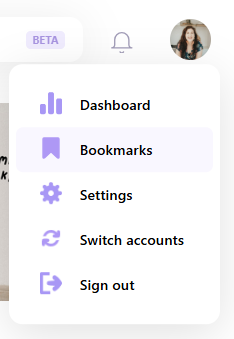
On the far right (website) or at the bottom of your app, you’ll find your face! Or your blank circle or profile image. If you click that, there will be more options.
Note: If you’re on the Dashboard and you click this menu, you’ll see ‘My Profile’ at the top of the menu list. But if you’re on your profile page already, you’ll see ‘Dashboard’ at the top.
- My Profile: Takes you to your profile page, as seen by the public. We’ve already talked about what this looks like.
- Dashboard: Takes you to your dashboard, where you will see Insights (like stats), Cashback (what you’re earning), and a list of Brand Partners.
- Bookmarks: Anything that you’ve saved/bookmarked will show up here. It’s broken up into ‘All Items’, ‘All Lists’ and ‘All Clips’
- Settings: Here’s where you’ll be able to tweak all your settings for your Benable account. Including how you’d like to get paid.
- Switch Accounts: If you have more than one account, you can switch it here
- Sign out: Signs you out of Benable
A look at the Benable Dashboard
You can find your Dashboard by clicking your Face in the top right (or on the bottom menu if you’re on your phone), and then selecting Dashboard. Then you’ll find three tabs.
Insights
At the creation of this blog post, I’m still working on a few public lists, but when they start to get some traffic to them, this is where the Insights for those Lists will be. I’ll update this when I get some more knowledge for you.
Cashback
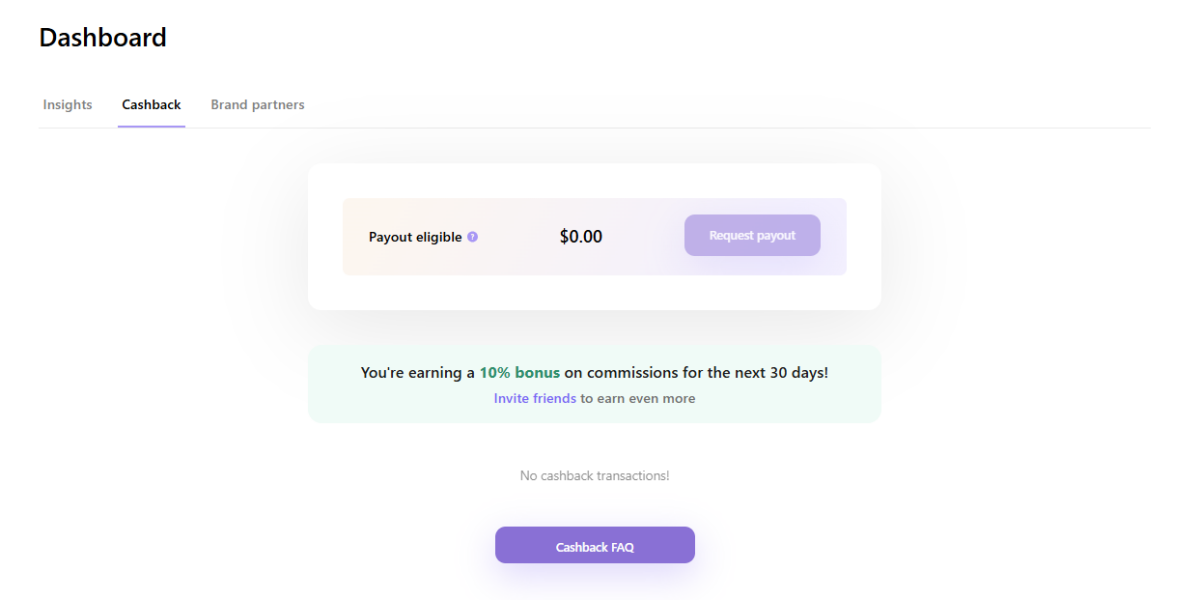
Similarly, here’s where you’ll be able to track your affiliates and the money you’ve made. You can request a payout once you have at least $80 usd to your name. You’ll also see how much you’re earning at the moment, if you have any bonuses.
For the 30,000+ brands that they’ve partnered with, you’ll earn roughly between 2% – 15% per sale, but obviously that’ll completely depend on the Brand.
Sometimes your commission might be lower or higher than you expected, but according to the Cachback FAQs, this might be because someone has clicked through via your link, but they’ve purchased something else from the website rather than the thing that you recommended. You still get credit for making this sale happen, since you referred them to the website, but the cost of the item might be different to the what you suggested, hence your commission is slightly different.
Brand partners
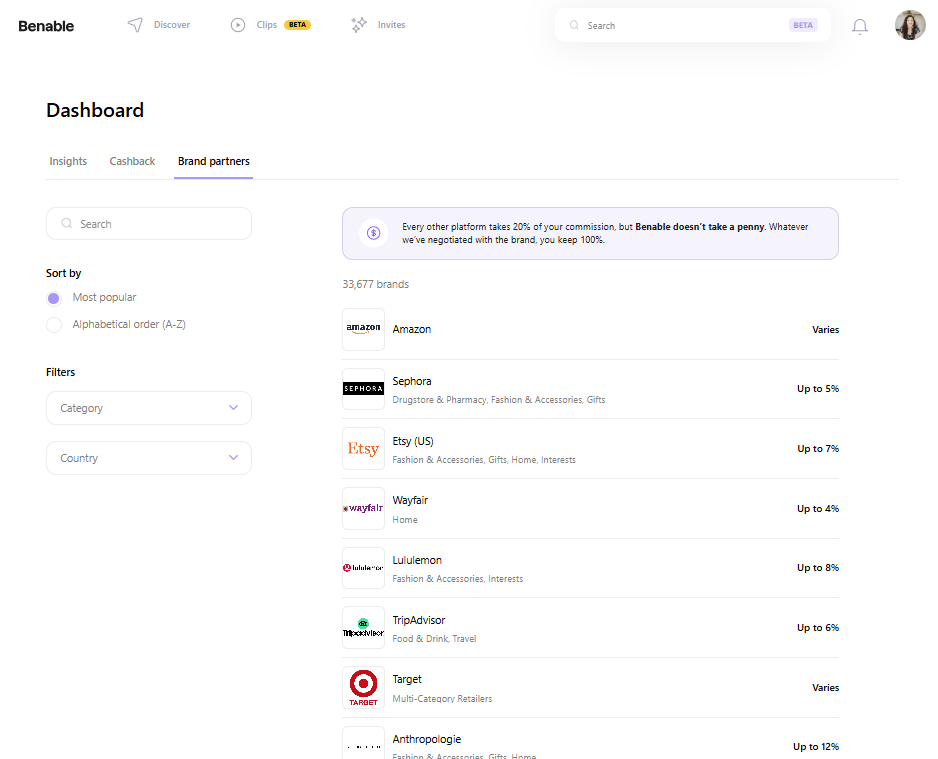
Here is where you’ll find the list of all the brands that Benable has partnered with. And there are a lot. Quick list of some of the most well-known brands that are on Benable:
- Amazon
- Sephora
- Etsy
- Lululemon
- Trip Advisor
- Target
- Booking . com
- Dell
- Samsung
- Booktopia
- Kobo
You can also filter the brands you’re looking at by Category and Country. If you want to share something that isn’t on their partner list, you can still do so! There just won’t be an affiliate link created for you. You can add your own, however, by toggling off the Benable Affiliate for that specific item and adding your own.
Or you can simply not have an affiliate link for that item. It’s not all about making affiliate money – it’s about sharing your recommendations and the things you love with people who might be interested.
How Referrals on Benable Work
If you head back to your Invites page, you’ll see a Referral Tracking bar, which will track how many people you’ve invited. The more people you invite and who create their first item, the higher percentage of commission you’ll get. For example, when your referral makes their first recommendation, you’ll get 2 months of commission bonuses.
If you invite 3 people, you’ll get 2 months of an additional 10% commissino on anything that comes through your affiliate links. Refer 10 people and you’ll get a 20% bonus; refer 20 people, and you’ll get a 30% bonus for 2 months.
Again, I’ll update you on what that looks like when I know firsthand.
💻 Are you on Benable? Follow along! Or sign up here with my Invite link.
Updated Section – My Thoughts on Benable
First Set Up Thoughts – February 2026
Going through this and setting up my account, thinking about the ways I could use Benable to share some of my favourite things, I can definitely see it being something I could update every month or so with some new lists.
I’ve been mostly thinking about it with my blogging hat on, and wondering what lists would be helpful for people who follow my blog. I’m currently thinking things like:
- Books
- Fave Reads of [year]
- Bookish items I love
- Travel
- My recommendations for places to visit in different cities
- Travel items I love
- Accommodation I’ve stayed at that I recommend
- Creative Projects
- Favourite yarn
- All the sewing equipment that I recommend
- Blogging
- Tech that I love and use all the time
- Entrepreneurs I recommend for various help
My hesitations at the moment are around whether this is going to be like ClubHouse, in that people get excited about a new thing and everyone joins, and everyone’s loving it, and then after a while, most people drop away, and you don’t hear about it anymore.
I’m also wondering if it’s just going to be a place for people to try and make money rather than to go and browse. I think it’s going to come down to following people that you already know and trust and take advice from already, rather than following random people who just like stuff. If you see what I mean.
I’m more like going to try and find creators whom I already follow on other platforms for various things (like book creators whose reviews I already love, for example), and check out what they’re recommending if I need something, rather than scrolling through what’s trending.
But it’s so early days for me (and for the platform, even though it’s been around a little while now – people are really only starting to talk about it now and it’s still in the Beta Invite-Only phase), so I will come back here to this section and update my thoughts.
I want to give it at least 6 months before deciding if Benable is worth it or not.
💻 Are you on Benable? Follow along! Or sign up here with my Invite link.
A Month on Benable Update
Okay it’s been a month of Benable! Some things I’ve noticed:
- My own use: I definitely had a surge of creating Lists and then forgot about it for a while. So that’s on me.
- I actually do love making lists, though, and many I’ve repurposed from book lists I’ve created here on the blog.
- I’m not using it as a User, just as a creator
After one month, I made a whopping: $4.92 USD
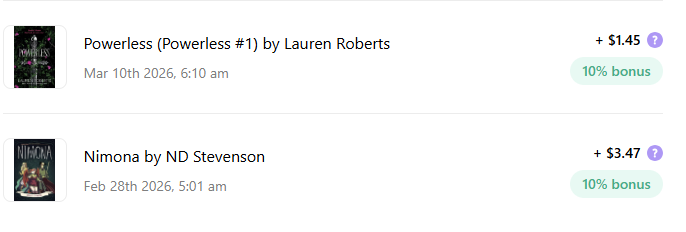
But you know what? That came from 2 sales, and it actually happened a lot faster than I was anticipating! I’m thinking that people are browsing Benable with the idea of purchasing something. They want the recommendations and so when they find a recommendation they’re on board with, they’re already primed to buy.
I’m going to try to keep up with making more Lists in the next 2 months and see what the cashback looks like.
It’s worth noting that in that first month, I was getting a 10% bonus on purchases, which, unless someone signs up with my link, I won’t be getting in April/going forward. I’ll keep you posted!
3 Months of Benable Update
Income
I don’t have a super big update for you in early June, but I have now made four sales (🎉🥳 rolling in it), and a total of $6.97 USD. The third and fourth purchases were also books, so I’m definitely seeing that being the more lucrative (if you could call it that) avenue.
Engagement
I do have a bunch of negemaent though, with people viewing or clicking through to something on my account nearly every single day, which is interesting. They’re just not converting to payments.
My Travel collections – Things to do in New Zealand’s North Island, Things to do in New Zealand’s South Island and Things to do in Auckland, New Zealand – are definitely seeing the most engagement and views overall.
Using the Benable links elsewhere
Something I have been interested in is that you can use your Benable link in other places online, too. So I’ve been trialling adding a Barnes and Noble Benable link, for example, to book review blog posts to see if people make a purchase through there.
Hard to tell if anything is coming from my blog thus far, but I’ll kee you posted on that.
The other interesting thing to test would be to use Benable links on Pinterest. Again, I’ll let you know what I discover!
6 Months of Benable Update
Section to come! End of August 2026.
Benable FAQs
What brands does Benable partner with?
Benable partners with over 30,000 brands, so it’s highly likely that you’ll be using and loving products, items, services etc from brands that are on Benable. You can find the full list of Brands by heading to Dashboard > Brands.
How much does it cost?
It’s completely free to use Benable, and they’ve said it always will be. They make money through their own means, such as ads, much like Google or Pinterest might. Though they’ve also said that there will not be ads on your lists or profiles.
How do I get paid?
You can request the money from your account once it’s hit $80 or more. You’ll find that under Dashboard > Cashback. It will go into the payment account that you set up on your profile. To check that, head to Settings > Cashback Settings.
Can I use my own affiliate links in Benable?
Yes! It looks like you can turn off the Benable affiliate link toggle specifically for that item, and add in your own.
Do I need to tell people about the affiliate links I’m using?
Yes! Always! You’ll notice that at the top of all my blog posts, I have an affiliate disclaimer, as well as a page on my blog. You always need to disclose if you’re using Affiliate links, wherever you are online.
Find more FAQs here on their website.

Anjali Kay
Anjali Kay is an Aotearoa New Zealand-based blogger and book lover sharing travel inspiration, bookish posts, the occasional creative project, and a lot of practical blogging tips here at This Splendid Shambles. Based in Auckland, she's been writing book reviews and travel posts, sharing creative projects and blogging tips since she started her first blog in 2009. When she's not working on her own blog, Anjali also offers blog coaching and support for bloggers who want real guidance from someone who's actually done the work, and is a few chapters ahead of them.


Having fun? Check out these posts!

13 New Canva Features You Need To Know About

The Ultimate Christmas Tag
