

8 Blogging Tools to Enrich your Blog
Last updated on 13 February 2023
This post may contain affiliate links. If you make a purchase with one of these links, I recieve a small commission at no additional cost to you. Read the full Affiliate Policy.
It’s not just WordPress or Squarespace or Wix that you need to start a blog. There’s a lot more involved with blogging than just the platform you use. There are so many things that blogging involves that it pays to have some blogging tools at your fingertips.
Whether you’re looking for the best blogging tools for beginners or you’ve been in this blogging world a while now and are after some programmes to help you with your blogging endeavours … this is the post for you!
We’re going to take a look at 8 different tools (okay, and a bonus! Shhhh), that range from hosting to images and graphics, marketing tools, creative tools and more.
Check out these great tools to help you create a blog YOU love, your READERS love, and that GOOGLE loves sharing with people.
8 Blogging Tools to Enrich your blog
- Unsplash
- Lyrical Host
- Canva
- Smush
- Elementor
- Google Fonts
- Inshot
- Envato Market
- BONUS!
Unsplash
Every blog post you write, and many of the pages that you’ll have on your blog, need to have at least one image. It’s just good practice. We live in a very visual world, so we need to accommodate that. Also, they’re pretty.
But finding images that you can use for your blog can be a bit of a challenge at times. With Unsplash, you can use any of the images on the website for FREE. No copyright at all. While they ask that you credit the creator, it’s not a requirement, just something nice to do.
No matter what niche you’re in, what you’re writing about, or what type of images you’re looking for, you’ll find it on Unsplash.

Lyrical Host
I signed up to Lyrical Host in 2022, having moved from Bluehost. Bluehost was fine, they were. I had nothing against them and they did what I needed them to do: host my WordPress site for me.
But I had heard amazing things about Lyrical Host so when my hosting plan with Bluehost came up for renewal I decided it was time to switch. And I am SO glad I did.
Was Bluehost bad? Absolutely not. They were fine. I never had any problems with them.
But I never knew what I was missing out on until I moved to Lyrical Host. They’re more than just a hosting company; they’re a community. And I’m so glad I made the move.
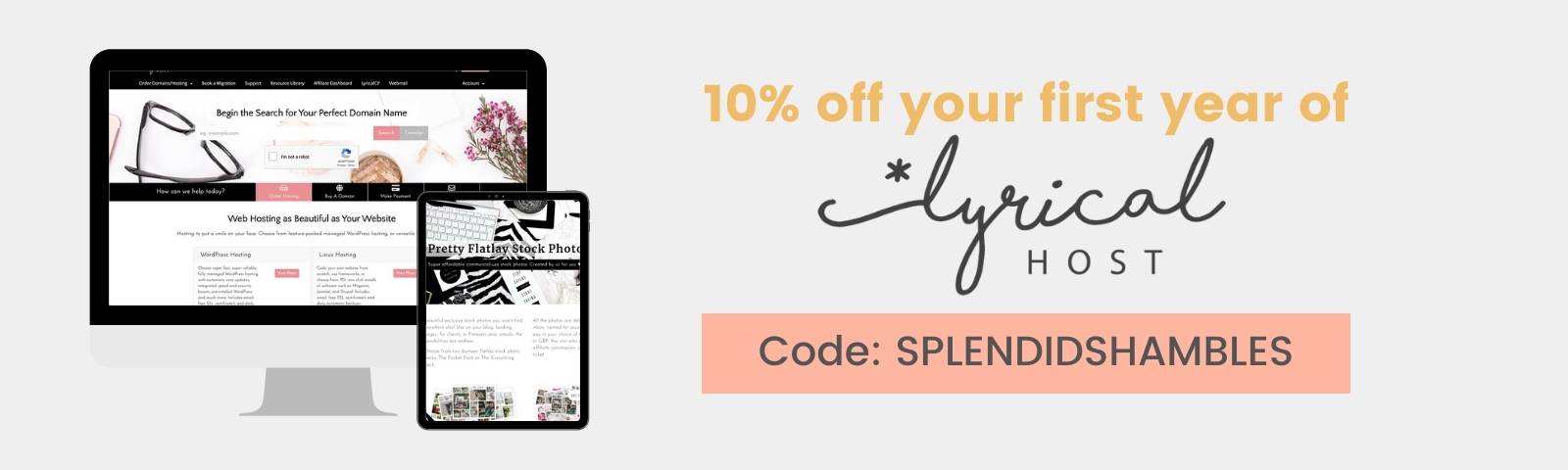
If you’re looking for an affordable blog host, run by actual people you can talk to, that provides exceptional support, amazing free resources, and a brilliant community of bloggers … check out Lyrical Host.
Canva
If you’ve only been around here for like … 5mins, you’ll still know I’m a big fan of Canva.
The graphic design program is so super easy to use, and I create so many things on Canva for my blog. From header images in posts to entire blog courses, all my Instagram posts, and even things like freebies in the Resource Library.
I honestly don’t know what I did before Canva. My blog wasn’t as pretty, that’s for sure! 😉
Smush
Smush is a blogging tool that will compress the size of your images without compromising the quality. There’s even a plugin which will automatically ‘smush’ your images when you upload them.
This is a great tool to use when you are publishing images on your blog because it will reduce the load time and bandwidth required to display your images. It’ll essentially shrink your images down to a savvy size but not reduce the quality.
Images take up a lot of room on a website, and if our images are too big they’re going to load slowly … and if our blogs load slowly then both your readers and Google aren’t gonna love that.
Elementor
Elementor is a drag-and-drop website builder that makes it easy to create beautiful, responsive websites.
Elementor is the easiest way to build your WordPress site. You can use its drag-and-drop interface to create beautiful layouts in minutes. The best part is that you don’t need any coding skills! I had been for a long time before I jumped on this bandwagon, but it was easy to pick up. Now most of my pages and over on Learn are created with Elementor.
If you’re looking at starting a blog but the design is a bit of a hurdle for you, check out Honey Wave Creative. Bailey is a phenomenal Elementor and WordPress website and blog creator. Tell her I sent ya. 😉
Google Fonts
Google Fonts is a typeface library that was created by Google. It is an open-source project, meaning that it’s available ‘openly’ and anyone can use it. It has over 1000 fonts!
The fonts are free to download, use, and modify. They are also available in different styles such as sans-serif, serif, display or script. My fave font right now is Poppins, and you’ll see that around the blog, on social media and on Pinterest too.

InShot.app
I don’t know if you’ve heard, but video is like … really popular. Now more than ever. This means having a good video editing app on hand in your blogging tools bundle is a must.
I use InShot for my Reels (one day I’ll get on Tiktok … maybe … I’ll let you know) but have also used it for personal video creation, too. It’s super easy to use and there is a free version and also a very affordable Pro version. I think it’s about $12 NZD per YEAR.
Envato Market
Speaking of videos, Envato Market not only has stock photos, graphic templates, music tracks, web templates and more for download, but it also has a bunch of royalty-free videos that you can use for your blogging and social media projects.
It is a paid tool, however at only $17 USD ish a month, if videos are something you’re going to be making more of, then it’s a great blog tool to have up your sleeve.
BONUS – Pinterest Keyword Vault
Pinterest Keyword Vault is hands-down one of my favourite tools for blogging ever. And it’s a Pinterest tool, as the name suggests.
Just like using keywords for blog posts is super important for growth and discoverability, the same can be said for Pinterest. The Pinterest Keyword Vault contains over 7000 keywords across a HUGE range of niches, topics, and seasons so that you can find exactly which words and phrases you should be using for your Pins.
There are 210+ categories, video tutorials to help you use the tool, and average monthly searches for every single of them. If there isn’t a set of keywords there that you’re after, you can request them and Anita will add them to the list multiple times a year. You get lifetime access to the Pinterest Keyword Vault and all its goodies, and honestly, I use it nearly every day.

Conclusion
There are so many tools for blogging out there but these are some of my favourites that I use often.
Using tools like these to help you in your blogging endeavours can save you so much time, energy, and sanity when it comes to creating content. Whether that be right here on your blog, or over on platforms that supplement and complement your blog (social media, Pinterest etc).
What do you reckon? Do you use any of these tools? Which is your fave?

Anjali Kay
Anjali Kay is an Aotearoa New Zealand-based blogger and book lover sharing travel inspiration, bookish posts, the occasional creative project, and a lot of practical blogging tips here at This Splendid Shambles. Based in Auckland, she's been writing book reviews and travel posts, sharing creative projects and blogging tips since she started her first blog in 2009. When she's not working on her own blog, Anjali also offers blog coaching and support for bloggers who want real guidance from someone who's actually done the work, and is a few chapters ahead of them.


Having fun? Check out these posts!

Why Long-Form Content is Making a Comeback

Faceless Marketing and Anonymous Blogging: What’s the deal?
