

The Best Content Creation Apps for Bloggers
Last updated on 14 July 2026
This post may contain affiliate links. If you make a purchase with one of these links, I recieve a small commission at no additional cost to you. Read the full Affiliate Policy.

Content creation apps for bloggers that I love
So you want the best content creation apps for bloggers, but there are approximately one million of them and you don’t have time to try them all? Same. Here’s my actual, tested list, split into photo editing, video, graphic design, stock photos, organisation and scheduling, so you can jump straight to what you need.
When creative tools started building phone apps, content creation properly opened up. These days it’s rare to find someone with a smartphone who isn’t also running some kind of social media account.
And what’s more, there are thousands upon thousands of people out there in the world creating amazing things … all from their phones and the apps that fill them.
From photography apps to graphic design, and video editing apps to word-based content … there’s a vast array of content creation apps and they don’t stop being created. Far from it.
So! How do you know which are the best social media content creation apps, or the best apps for blogging are? You don’t. You need to try a few and see what works for you.
I’m going to share some of my favourite content creation apps that I’ve used over the years and that I recommend checking out. If there are some apps to help with content creation that I haven’t used but that I’ve heard great things about, I’ve made a note of those too. While I don’t use all of these any more, they’re all ones that I’ve loved over the years and have really enjoyed using.

Photo editing apps
A Color Story (IOS + Android)
If you’re a fan of reading blogs, or perhaps you love a bit of home decor, crafts and DIY, or finding new recipes … you’ve probably come across A Beautiful Mess before. Run by Elsie Larson and Emma Chapman, A Beautiful Mess is a stunning blog full of incredible things.
In 2016, Elsie and Emma and their team created A Color Story, a photo editing and creating app made for content creators. It combines beautiful photographic filters with additional effects, adjustment tools and frames. You can even link up your Instagram and create a preview of your grid! Perfect for content creators!
VSCO (formerly VSCO Cam)
Another great option for photo editing that I’ve loved in the past is VSCO. VSCO has a stunning range of photography tools within this one app, so you may find you don’t need any others. The range of filters seems endless, but it also has tools such as clarity, skin tone, sharpen, saturation, temperature and fade. All of the tools also have manual adjustments so you can really tweak your images to get them exactly how you’d like them.
Video editing apps
InShot (IOS + Android)
I discovered InShot a few years back, after really upping my Reels game on Instagram, and I really enjoyed this app for video editing. It has a great range of easy-to-use tools, and you can add effects, music, transitions, text and more to your videos.
What I really like about InShot is that it’s simple to use even if you’re not used to using video editing software or apps. After a few videos, I was pretty confident in creating both Reels for Instagram and also for other video projects. It’s quick and easy. And I highly recommend it.
CapCut (IOS + Android)
Another super popular one is CapCut, and after InShot I tried out this one. It’s incredibly similar, just a few things that are different with the interface. But all the tools and features are very similar, and you can get a lot of videos done for your content creation with this.
It even has connections to Instagram with memes and other things you can use for IG and also TikTok.
Edits (IOS + Android)
Instagram’s own app, Edits, is the one I use the most these days for Reels content creation. It’s super easy to use, and you can can obviously connect it to your Instagram. Which means you can easily move between the two apps.
Another thing I really like about Edits is that you can browse Reels on the Edits app and if you see something that you like then you can add a Sticky Note to it with your own idea. Perhaps you like the audio, or you like the hook … you can jot it down so you know what you were thinking when you get back to it.
Graphic Design apps
Canva (IOS + Android)
If you’ve been around here for the last year or so then you’ll know that I can’t go an entire post talking about content creation and not bring up Canva. If you’re not a graphic designer, and you don’t have Photoshop or LightRoom skills, then Canva is your best friend.
Easy to use, the Canva website and app have everything you need to create graphic design posts (and also has some photo and video editing capabilities too!) that people will stop the scroll for.

Stock photos
Unsplash (IOS)
Unsplash is a go-to for me for images (as well as Canva Pro), and while I don’t use the app, the desktop website is gold. It’s a bucket-load of free-to-use images from photographers all over the world, and while you may find that other people online use the same images as you (trick: sort by Newest to get in before the masses!), they really are stunning images.
💡 Also check out: Where to Get Images for Your Blog, Free & Paid
Organisation apps
Google Sheets (IOS + Android)
Having your blog planner in Google Sheets is a brilliant way to keep your content organised. And it being right there at your fingertips means that you can adjust your plan, add in new ideas, brainstorm, track your analytics and more, all in one place.
Speaking of Google, Google Drive is one of my favourite sets of apps for content creation. I use Docs to write blog posts, Sheets for planning, Forms for collecting Market Research, and everything is easily accessible right there on my phone when I need it.
Trello (IOS + Android)
Another great option for organisation and keeping on top of your content creation is Trello. You can use Trello to sort your content ideas into topics, or where they are in their creation stage. There are many ways you can use Trello for your blogging and social media content creation; have a play and see what works best for you!
Scheduling apps for content creation
Metricool (IOS + Android)
My current favourite scheduling app for Instagram, Facebook and Threads (although it does lots of other platforms, too!), is Metricool.
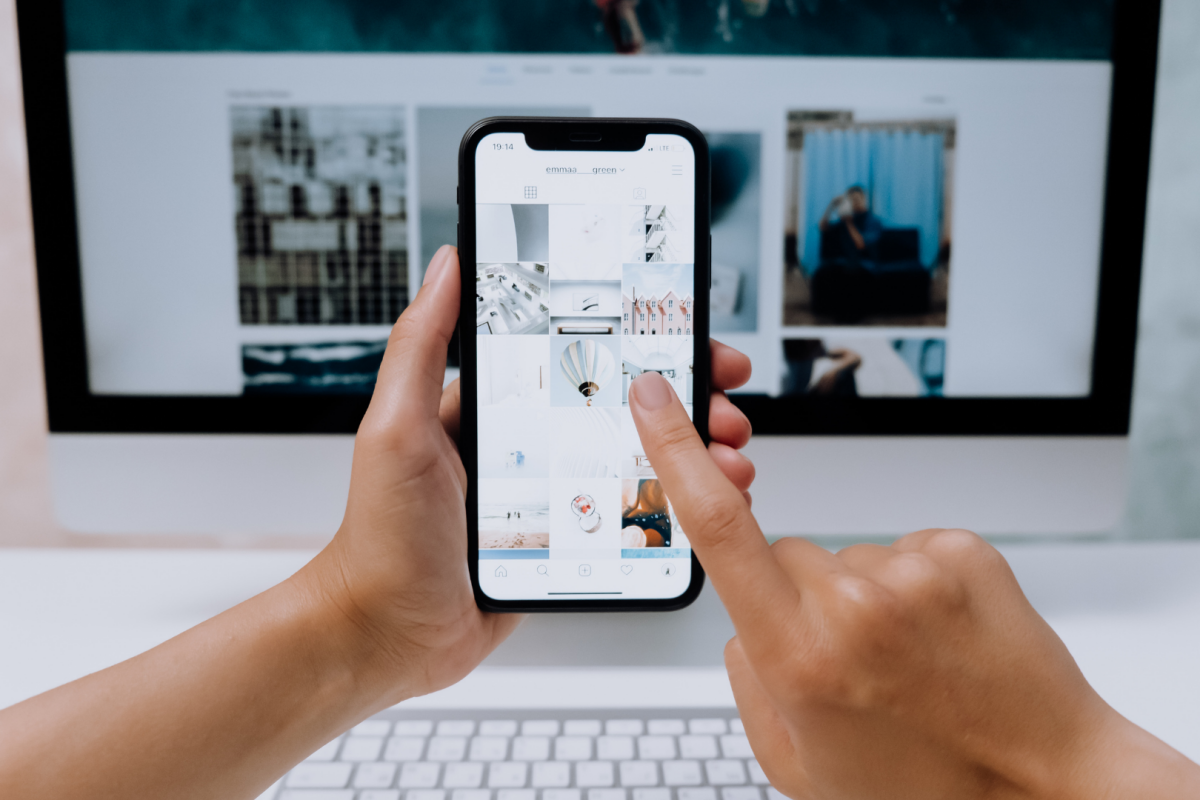
I really enjoy the interface and the UI, and it’s super easy to use. It has lots of features that are really helpful, like stats for the social media that you’ve got linked up, a preview of your Instagram grid, and an easy drag-and-drop function so you can quickly move your posts around.
Later (IOS + Android)
One of the scheduling apps I really enjoyed for Instagram is Later. I love the desktop version and the app, and it’s easy to use, preview your grid, and schedule your content. I’ve tried many Instagram scheduling apps in the past and while they’ve all had good elements to them, Later was a go-to for a long time.
Meta Business Suite (IOS + Android)
The other one I like (and use for a different account) is the free Meta Business Suite, which used to be the Facebook Creator Studio app. Fun fact: Meta actually shut down Facebook Creator Studio for a couple of years in favour of Meta Business Suite, then brought it back in 2026 with a built-in AI assistant for content tips and comment replies.
You can join the waitlist at the moment to see the new updated version. But for now, the Business Suite is still good if you want a free option.
You can schedule your Facebook and Instagram content straight from the app, and cross-post it too.
So there are the digital content creation apps I love using for my everyday blogging and social media. If you’re a digital creator and you’re looking for the best content creation apps, then I hope that this list is super helpful!
Whatever you end up going with, remember that if it’s not for you or you’re not loving it, you can delete the app and find something new!
Tell me: what are your favourite content creation apps?

Anjali Kay
Anjali Kay is an Aotearoa New Zealand-based blogger and book lover sharing travel inspiration, bookish posts, the occasional creative project, and a lot of practical blogging tips here at This Splendid Shambles. Based in Auckland, she's been writing book reviews and travel posts, sharing creative projects and blogging tips since she started her first blog in 2009. When she's not working on her own blog, Anjali also offers blog coaching and support for bloggers who want real guidance from someone who's actually done the work, and is a few chapters ahead of them.


Having fun? Check out these posts!

5 Things to Think About Before Taking a Blog Holiday

What Auckland Winter has Taught me about Blogging
