

How to Repurpose Blog Content (and why you’d want to!)
Last updated on 30 April 2025
This post may contain affiliate links. If you make a purchase with one of these links, I recieve a small commission at no additional cost to you. Read the full Affiliate Policy.

Save time and energy by repurposing your content
Repurposing is a blogger’s secret weapon. Especially if you’ve been blogging for a long time. Think about it: if you write a blog post that’s 1,500 words, full of tips, encouragement, inspiration … that’s a lot of content sitting right there. It would be wasteful to keep it in just one form, on one platform.
The trouble comes, however, when you start to look at repurposing your content. Which parts of your blog posts should you pull out front and centre? What images should you use? Where do you even put all your repurposed content?
Let’s take a look!
What is repurposing?
Repurposing content is the process of taking something that you’ve already created (in this case a blog post) and re-working it to suit other platforms. These platforms might be a video for YouTube, a podcast, an Instagram carousel, or a selection of Pins for Pinterest.
It’s the art (for it is an art) of looking at a piece of content and figuring out how far you can make it go. It’s knowing which parts of a post are really going to draw people in, which parts would be epic on video, or which would make a create mini-course.
Why should you repurpose content?
There are many reasons you should repurpose your content – one being you save so much time and energy creating fresh content for every single platform you frequent – but one of the main reasons is your readers.
Your readers are going to fit into different categories and are going to consume information in different ways. Someone who is a visual learner, for example, isn’t necessarily going to read a 1000+ word blog post. But they might look at a beautifully crafted Instagram carousel. Someone who is an auditory learner isn’t going to work their way through an infographic … but they would definitely listen to a podcast.
You’re not creating your blog for you. You’re writing for others. Your audience. Your readers.
So! How do you repurpose blog content?
The first thing (other than writing your blog post, of course) is going to be to figure out which platforms you’re going to repurpose your content for. There’s no point recording yourself reading your blog post aloud if you don’t have a podcast. Identify which platforms and what types of content you’re going to need to create.
Here’s a breakdown of what you could repurpose a blog post into. Lots of these are what I do as a blogger, still to this day!
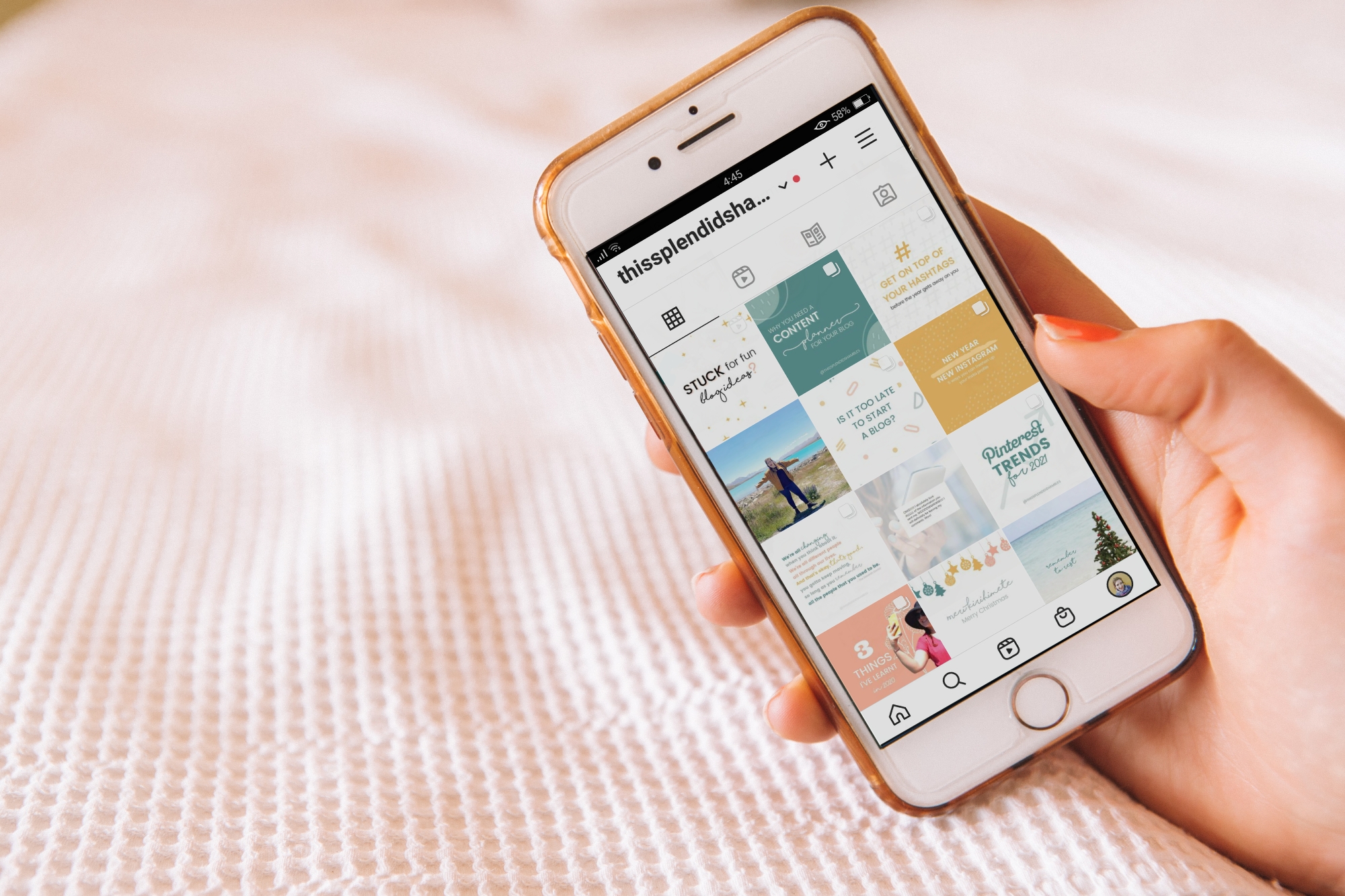
Instagram is full of different ways to get your message across to people. Feed post, video, carousel, Reels, Guides … every month it seems Instagram has a new update. If you’re on Instagram and you’re not utilising the new features as they’re rolled out, you might be missing out.
Ideas for repurposed content on Instagram:
- Feed post: static images of a key point
- Carousel: Pull out several key points from your post and display them in a carousel
- Lives: Chat about your blog post content live, and save it to your feed
- Reels: Quick-fire key points, or several Reels!
- Stories: Chat about the content in your blog post, and let people know how to find it.
Facebook content can be fickle, but if you have a Facebook Group or a Page then you can definitely use your blog post on there. Here are a couple of ideas.
- Facebook Group: Pull out a few key points from your blog post that are going to be of value to your group. Then link up your blog post and tell them they can find more on your blog
- Facebook Page: You can either link up your blog post, or you can create a short guide to what you can find within your blog post.
- Create an image: Got some good quotes you can pull from your post? Turn them into a visual post for your Group or Page.
eBook
Only share a fraction of what you could have in your blog post? Expand your post into an eBook and offer it as a paid service. Having all the information in one place is super handy, especially when you add in a content page and make everything clickable. Use a service such as Canva and turn your post into an eBook.
Podcast
Got a podcast? Want to start one?
By reading your blog post aloud and publishing it as a blog post, you’re reaching those people who are auditory learners. How many podcasts do you listen to a month? A week? Heck, a day! Podcasts are incredibly popular at the moment, so why not launch your own and turn your blog posts into episodes?
I did this exact thing to create The Blogging Room Podcast! I took all the years of blogging tips blog posts just like this one and turned them into a podcast! Definitely worth doing, and you don’t need much to get started, either.

Infographics
If your blog post has a lot of parts that flow on from one another or includes a selection of steps, then creating an infographic is a great way to display the information in a new way. Much like if you were creating a visual post for Instagram or Facebook (or Pinterest!), an Infographic is going to grab the attention of visual learners and those who consume images over text, sound or video.
Lead Magnet
A lead magnet, or an opt-in, is a freebie that you provide for your readers in exchange for their email.
Some blog posts make for great lead magnets or opt-ins. List posts, for example, can be transformed into a visually appealing PDF and offered your blog.
Or you can pitch your freebie at the end of a post with something such as “Don’t have time to read this post now? Download the post as a PDF and read it later!” and provide the entire post as a download for them to come back to.
Speaking of email, if you don’t have an email list, you’re missing out. In my post 10 Ways To Grow Your Email List, we chat about how important having an email list really is. Social media could up and leave like that and we’d be left with little way to contact those who enjoyed our content. You don’t own your social media, but you do own your email list.
Pinterest is a what? A search engine. Which means anything you create – the original blog post, the repurposed content that you’ve created – can have a Pin which points to it.
That means that you can create a Pin that links to your Instagram post, to your podcast, your YouTube video. Any link you’ve created, you can Pin it.
With a little thinking, a little creativity, you can easily repurpose 1 blog post into multiple pieces of content. Stop wasting time creating everything from scratch. Start repurposing your content today; you won’t regret it!
Do you repurpose your blog content? What’s your go-to platform to post your ‘new’ content on?

Anjali Kay
Anjali Kay is an Aotearoa New Zealand-based blogger and book lover sharing travel inspiration, bookish posts, the occasional creative project, and a lot of practical blogging tips here at This Splendid Shambles. Based in Auckland, she's been writing book reviews and travel posts, sharing creative projects and blogging tips since she started her first blog in 2009. When she's not working on her own blog, Anjali also offers blog coaching and support for bloggers who want real guidance from someone who's actually done the work, and is a few chapters ahead of them.


Having fun? Check out these posts!
The Importance of Content Clusters for your Blog in 2026

Inside my Blogging Membership: What we Actually Work on Each Month
