
Everything You Need to Know About The StoryGraph Buddy Reads
Last updated on 26 March 2024
This post may contain affiliate links. If you make a purchase with one of these links, I recieve a small commission at no additional cost to you. Read the full Affiliate Policy.
 In case you missed it, there’s a (relatively) new book-tracking app on the internet. The StoryGraph graced us with its presence in 2019, however, it wasn’t until 2022 that I really knew anything about it. You can read all about The StoryGraph in this ultimate guide here, and then check out how you move from Goodreads to StoryGraph here.
One of the coolest features of the site is The StoryGraph Buddy Reads. It’s basically what it sounds like: the ability to read alongside your buddies.
While buddy reading isn’t something I do a lot of – I’m not part of a book club, and I don’t often read books at the same as friends – but it was a feature of The StoryGraph that I really wanted to try out and see if it was going to be a goer for me and my book reading endeavours.
And so Sophie from SofillyLetters and I buddy-read Fourth Wing by Rebecca Yarros using StoryGraph. Here’s what I learnt.
How to use the StoryGraph Buddy Reads feature
It’s very simple to use the StoryGraph Buddy Reads feature, but I have to say that the first step did throw me. So here’s what you do (so you’re not thrown like I was!).
Before you start a Buddy Read
Before you start a Buddy Read on StoryGraph you’re going to a) need an account and b) be friends or be following each other. This is key, especially if they have a private account.
Then each person in the Buddy Read is going to need to find the book that you’re reading together and have it on their TBR list.
Then you’re all set to join forces in a Buddy Read!

How to Start a Buddy Read
- Navigate to the book you’re currently reading
- On the right-hand side of the webpage, click ‘Start a Buddy Read’
- You’ll then see a page with some options to fill in
- Select who you’d like to read with (you can add up to 11 other people to buddy read with you)
- Choose an end date (optional)
- Click ‘Create’
Let’s step through those things in more depth.
Navigate to the book you’re currently reading
Rather than finding your friend and then choosing what book to read (which might be the more obvious way of doing it), StoryGraph has you finding the book that you want to read, and then stepping it through.
Use the search bar at the top of the website to find the book, or you can browse through various lists (or your own lists!). Might be the perfect time to reach for that TBR pile.😉
On the right-hand side of the webpage, click ‘Start a Buddy Read’
When you’ve found the book you want to read together, on the right-hand side of the book page there is a line that says ‘Start a buddy read’. All you do is click it! This is going to send you to a new page.
You’ll then see a page with some options to fill in
On the new page, there are some options you can fill out (below). Not all of them are required, but they’re there if you want to use them. The one at the top is the Description. You can add a description about the buddy read you’re about to start. This might be for your Book Club if you have a blurb you want to share with them, you could add a comment to your friends, reminding them that what you’re doing. Or you could just leave it blank. Completely up to you.
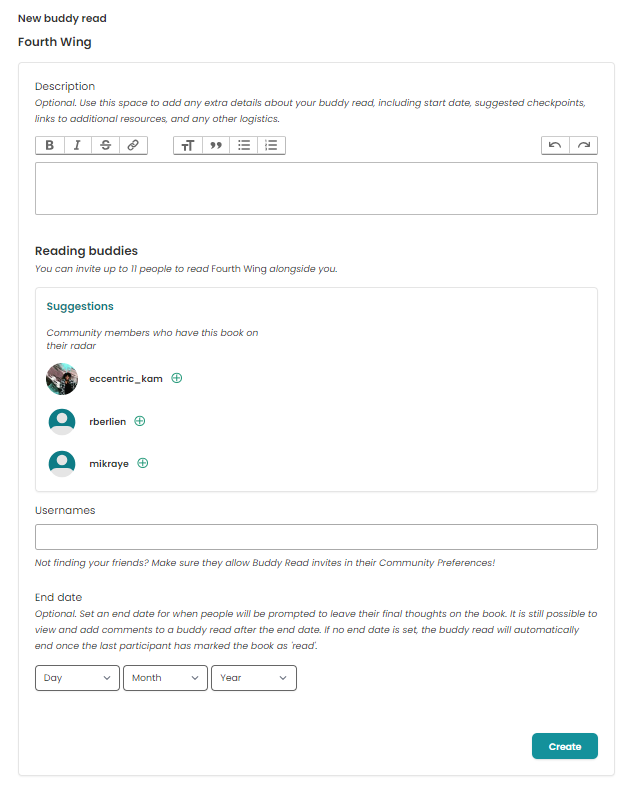
Select who you’d like to read with (you can add up to 11 other people to buddy read with you)
Next, you’re going to select which of your friends you want to invite to the StoryGraph Buddy Read. Remember you need to be friends or follow them, or they need to have a public account so you can find their username. You can add up to 11 other people to your reading group! Perfect for book clubs. It will also give you Suggestions of other people on StoryGraph.
Choose an end date (optional)
You also have the option of adding an end date to your buddy read. This means that you can declare a time period on the read, which is, again, good for Book Clubs!
Click ‘Create’
Self-explanatory. Just hit create!
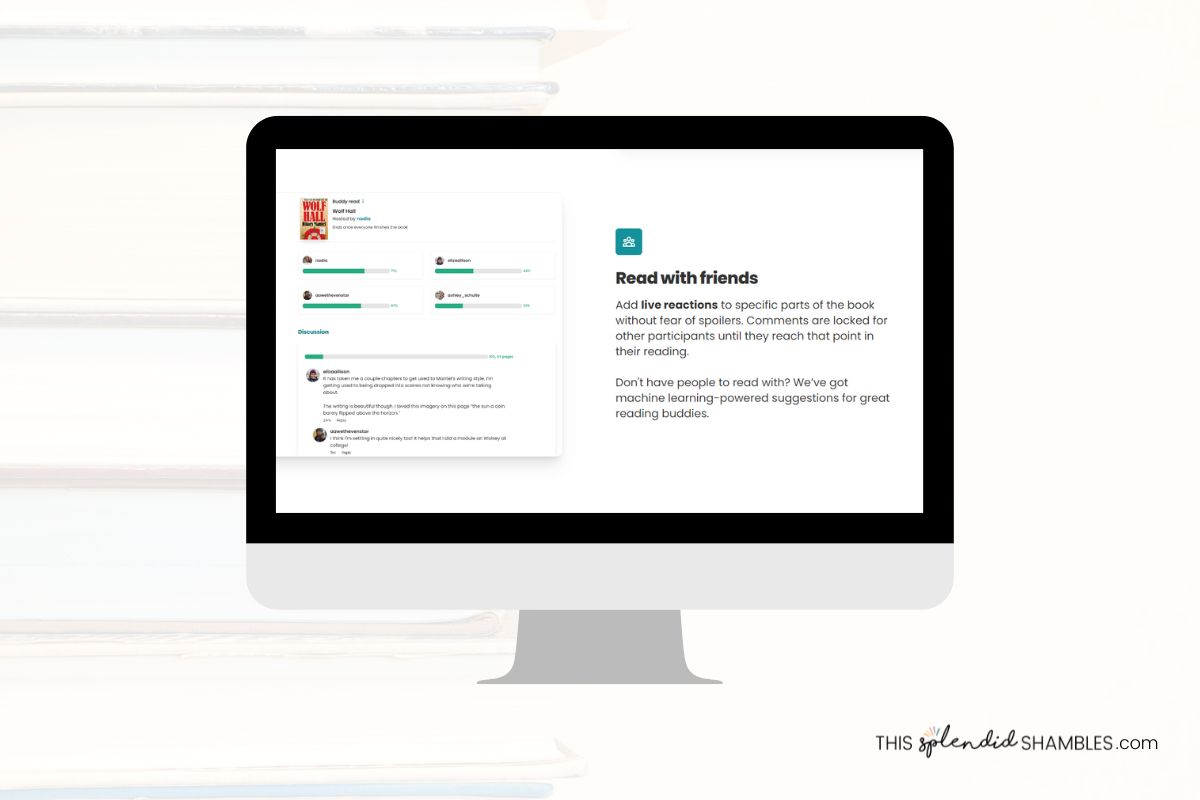
How to Join a Buddy Read
Has your friend already started a Buddy Read? You’ll get a notification that they have invited you to join. All you have to do is click Accept. They would have already filled in all the details we’ve just been through, so once you accept the buddy read, you’ll be directed to the page with all the details.
You’ll also be able to see the other people who are in the buddy read and see their comments and thoughts as you go (we’ll get to that soon!).

Buddy Reading on the StoryGraph
So now you’re all set up and you’re reading to start your StoryGraph Buddy Read! As a member of this Buddy Read group, there are a few things you can do, so we’re going to run through some of them now.
Add comments
If you’ve got the StoryGraph app then this is really easy to do, as you can just comment on your phone. If you don’t, you might not utilise this that much, to be honest, as you’ll have to head to the website every time you want to add a comment.
But if you like to annotate your books, then this is sort of like that, but you can comment about certain parts of the book and specify where in the book your comment relates to. You can see in the image below that you can set a percent or page number, and then write your comment.
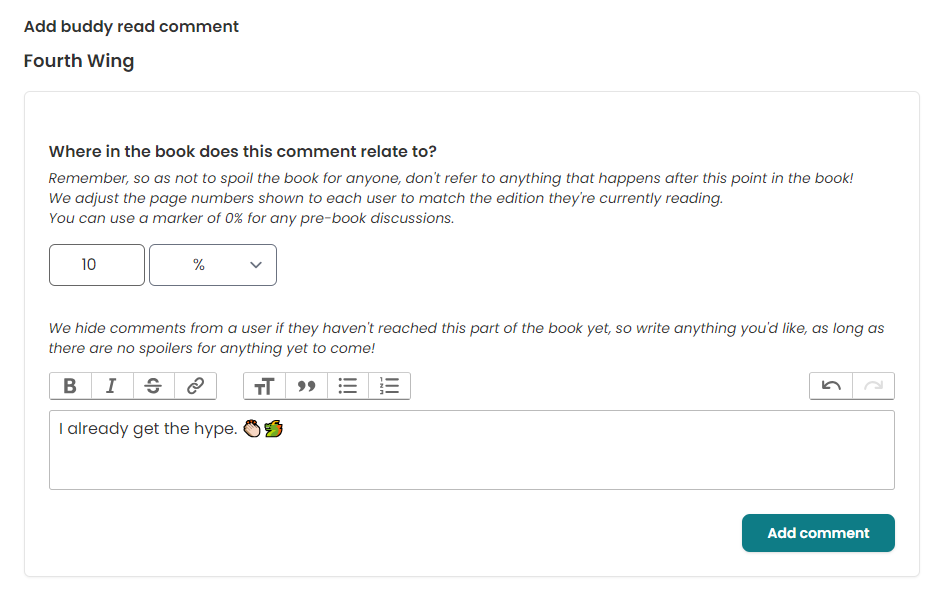
Remember: Do not post spoilers about things that happen in the book AFTER the point in which you can indicate. StorYgraph does this really cool thing where you can add a comment to, for example, chapter 5, and anyone who is not up to chapter 5 yet, won’t be able to see that comment.
This means that you can comment on where you’re at, and as long as you don’t say you’re commenting on Chapter 5 and you actually mention something in Chapter 8, then people won’t see your comment until they reach that part in the ook (and obviously log that place in StoryGraph).
Tip: If you want to do some pre-discussion comments and conversations, start a thread by setting the percent at 0%, and then everyone will be able to see it.
Reply to comments
Once someone has commented, you can then reply to that comment! Again, people will only see your original comment if they are up to that part in the book yet, so make sure that your comments don’t contain spoilers for further ahead.
In the commenting box, you can also format your comments so they look better. The standard formatting options are available – things such as bold, italics, strikethrough etc – but you can also add bullet points and quotes, and change the font size. There’s also the option to add a link. Just highlight what words you want to link, and click the link button.

Progress bars
Wanna know where everyone is up to in the book? You can! At the top of the page, there are wee progress bar next to everyone’s names. If they’re all updating their reading progress on StoryGraph, then their progress lines should be pretty accurate. You’ll be able to see how far through people are, if someone is lagging behind a little, or if someone has already finished.

Ratings and reviews
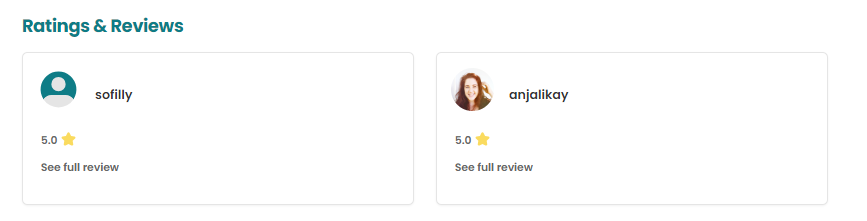
At the bottom of the page, you’ll find Ratings and Reviews. You’ll only be able to see this once everyone in the Buddy Read has marked the book as ‘read’. This is another way that StoyrGraph keeps spoilers away from people.

Once you’ve all marked the book Read then that will unlock and you’ll be able to see everyone’s rating and thoughts on the book.
From there you can click ‘See full review’ to see their entire review if they’re written one.
Past Buddy Reads
Even after the Buddy Read on StoryGraph comes to an end, you can find which ones you’ve done in the past by going to Community in the menu bar, then on the right-hand side there’s a button that says Buddy Reads. You’ll then be taken to a page which lists all your past Buddy Reads, including any ones you’re currently taking part in.
Plus option
If you have a StoryGraph Plus account, you can get StoryGraph to suggest books for that particular group of people. This is really useful if you know you want to read something together but aren’t really sure what.
Buddy Read Suggestions
As of March 2024, you can also have The StoryGraph recommend you and your buddy a book to read! This is a super cool feature. Basically, how it works is you can choose someone who you would like to Buddy Read with, and The StoryGraph will take a look at your TBR and their TBR and find a book that is going to be suitable for both of you.
You do both need to have the book on your TBR though, so just be aware of that if you’re adding multiple people to your Buddy Read.

Overall thoughts on StoryGraph Buddy Reads feature
While I’ve only done a Buddy Read on StoryGraph once so far, I really like this feature. While I just did a Buddy Read with one person, I think it would be really fun to do a big group read, and really utilise the comments and discussion section. There’s a lot of potential here for book clubs too, especially online ones or ones where people are all over the world.
What about you? Have you tried the StoryGraph Buddy Reads yet? What did you think?

Anjali Kay
Anjali Kay is an Aotearoa New Zealand-based blogger and book lover sharing travel inspiration, bookish posts, the occasional creative project, and a lot of practical blogging tips here at This Splendid Shambles. Based in Auckland, she's been writing book reviews and travel posts, sharing creative projects and blogging tips since she started her first blog in 2009. When she's not working on her own blog, Anjali also offers blog coaching and support for bloggers who want real guidance from someone who's actually done the work, and is a few chapters ahead of them.


Having fun? Check out these posts!

19 Books About Vampires To Read This Halloween

Book Review :: Eleanor and Park, by Rainbow Rowell